Describe it. Ship it. Own it.
CloudCrew AI turns a plain-English request into production AWS Terraform or Pulumi, with security scanning, architecture diagrams and decision records, delivered as a GitHub pull request. You approve it at two checkpoints before anything deploys.

How it works
A crew of specialised agents does the work. You make the decisions.
-
01
Describe it
Say what you need in plain English. A sentence is enough; Enhance reviews it against AWS Well-Architected and rewrites it into a full production brief.
-
02
Approve the plan · checkpoint 1
Review the proposed architecture and remove anything you don't want before a line of code is written.
-
03
Review the code · checkpoint 2
Generated infrastructure code, security findings, diagrams and decision records, all in one place.
-
04
Merge and deploy
It lands as a pull request in your repository and deploys through your own CI when you're ready.
What came back
Real CloudCrew output for this request. Every image is a screenshot, cropped but not edited.
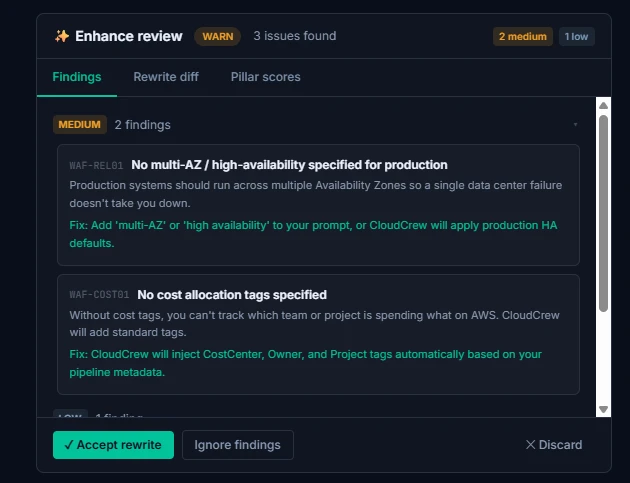
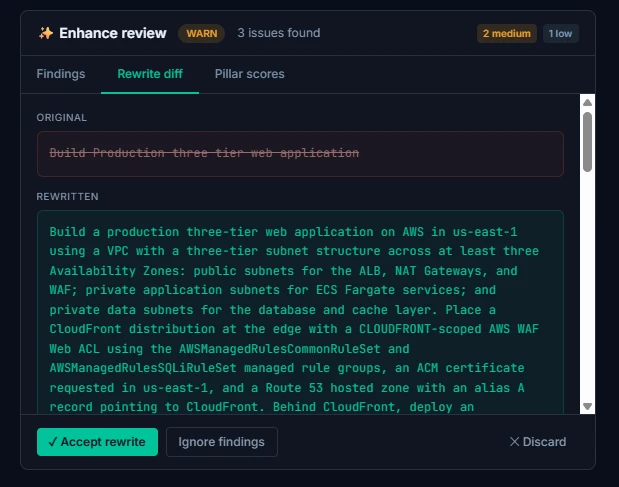
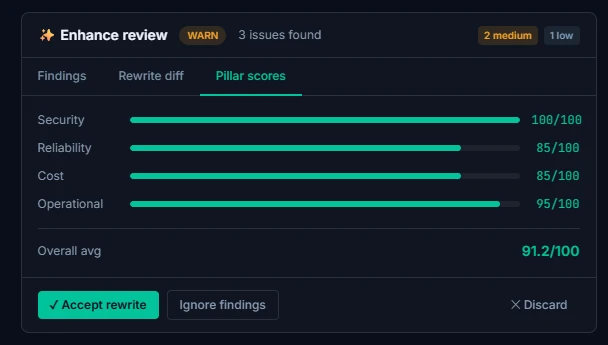
CloudCrew reviews the request before designing anything
The Enhance review checks the brief against the AWS Well-Architected pillars and flags what a production system needs but the request left out. Here: no multi-AZ and no cost-allocation tags. It then rewrites the six words into a full production brief. You accept the rewrite or ignore it.
You approve the blueprint · checkpoint 1
Every component, its key settings, and whether it can be removed. Nothing is generated until you approve.

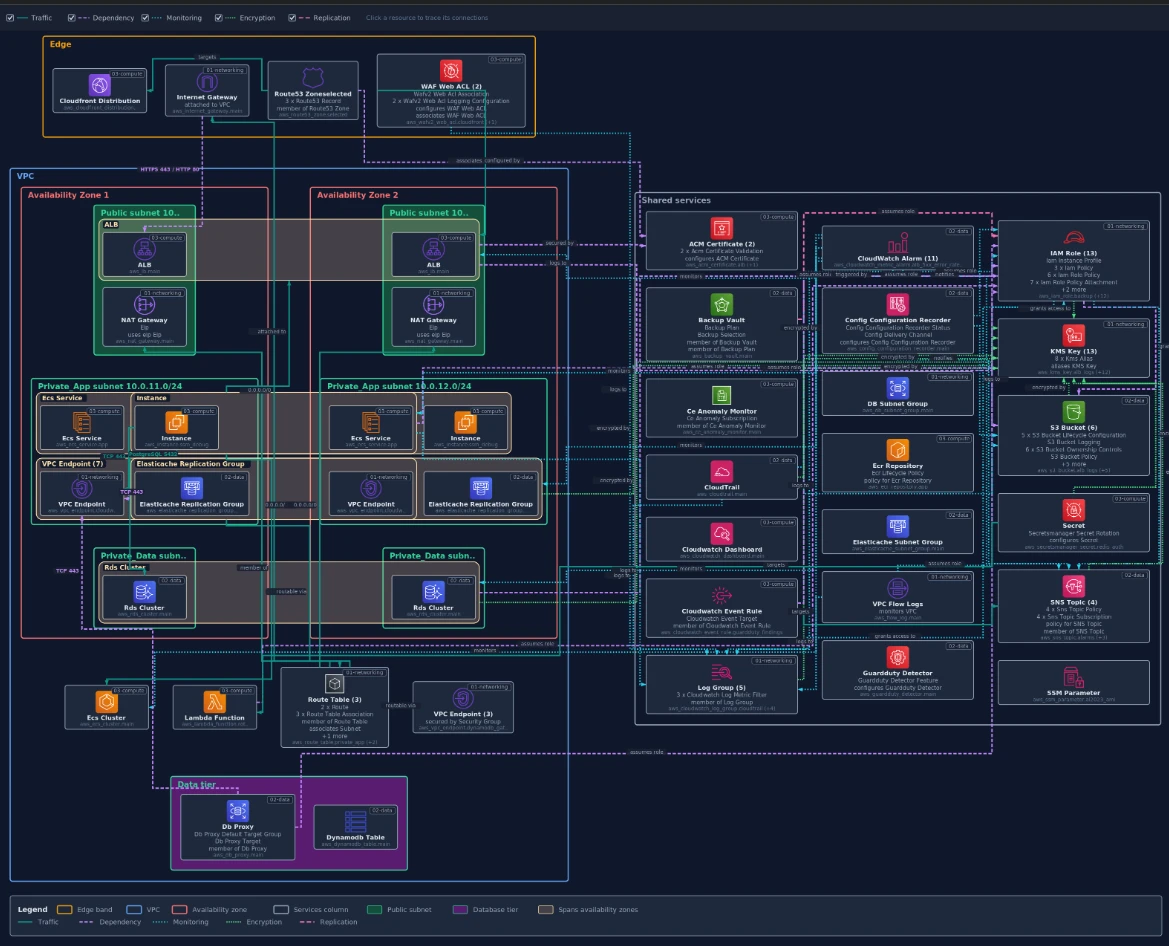
The architecture
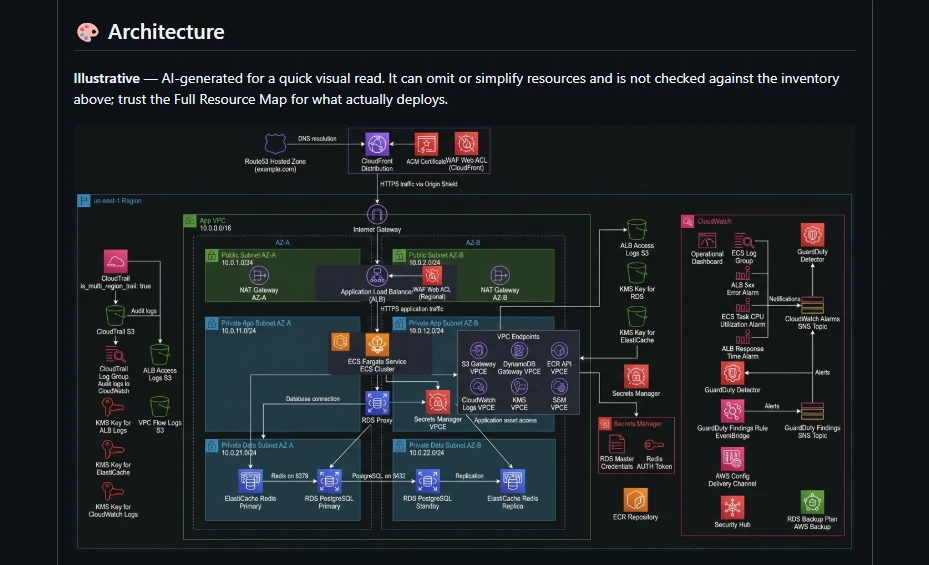
The Full Resource Map is drawn from the generated code and shows exactly what will deploy. In the app it is interactive: click any resource to trace its traffic. The illustrative view is AI-generated for a quick read, and labelled that way in the pull request.
Grounded, not guessed
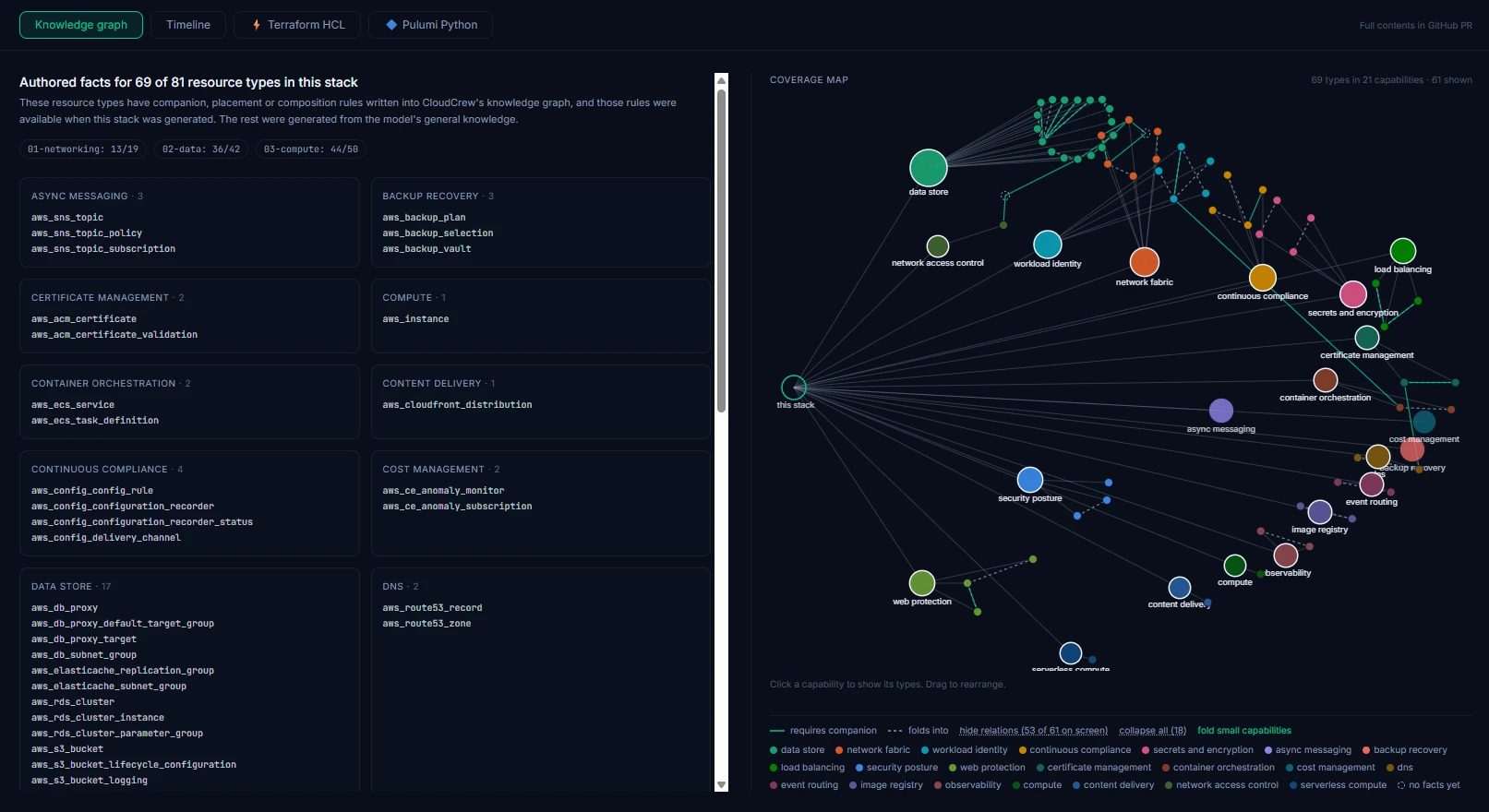
Before writing code, CloudCrew checks its knowledge graph of AWS services and how they fit together. In this run, 69 of the 81 resource types had authored rules available at generation time.
The pull request · checkpoint 2
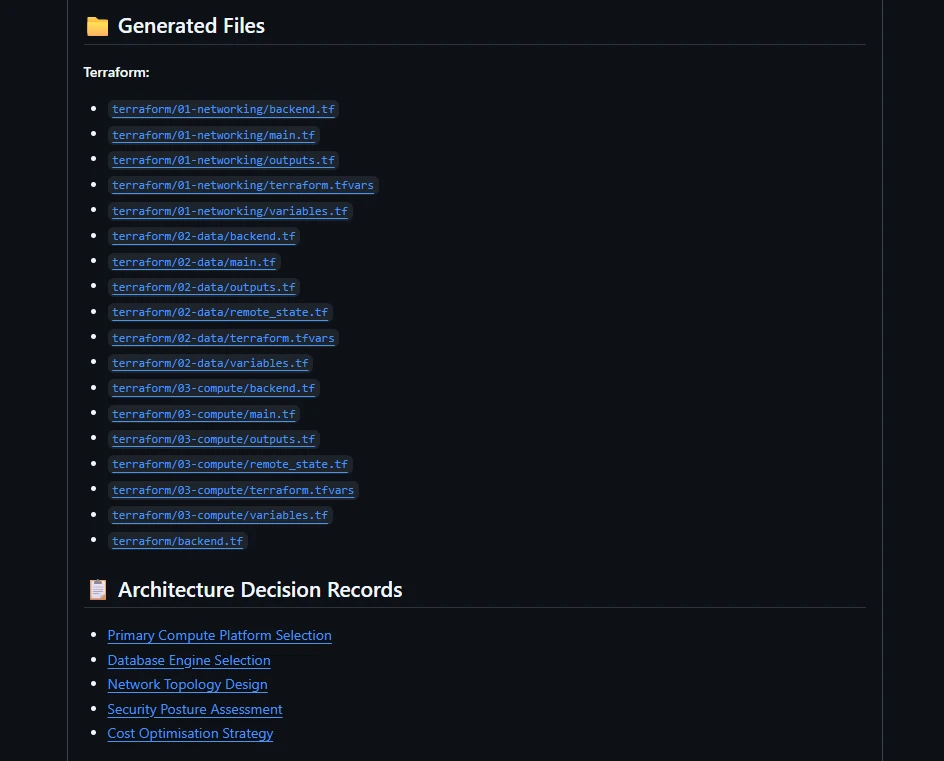
Modular Terraform, each layer with its own state, plus a decision record for every major choice, delivered to GitHub for review.
Request a demo
See CloudCrew on your own use case.
- A live run on your use case. Bring a real infrastructure request and watch it become a pull request.
- 30 minutes, no slides. Questions about the output are the point.
- We reply by email to find a time that works.
Prefer email? info@cloudcrewai.com
Request received.
Thanks. Check your inbox for a confirmation; we'll be in touch shortly to set up a time.